 Timber Pines Pickleball Club Inc
Calendar update
First you will login to the admin page of the website, (the first time after I create a user for you, you won't have a password, so enter your user name and hit Forgot and set your password with the link emailed to you)
tppickleballclub.org/admin

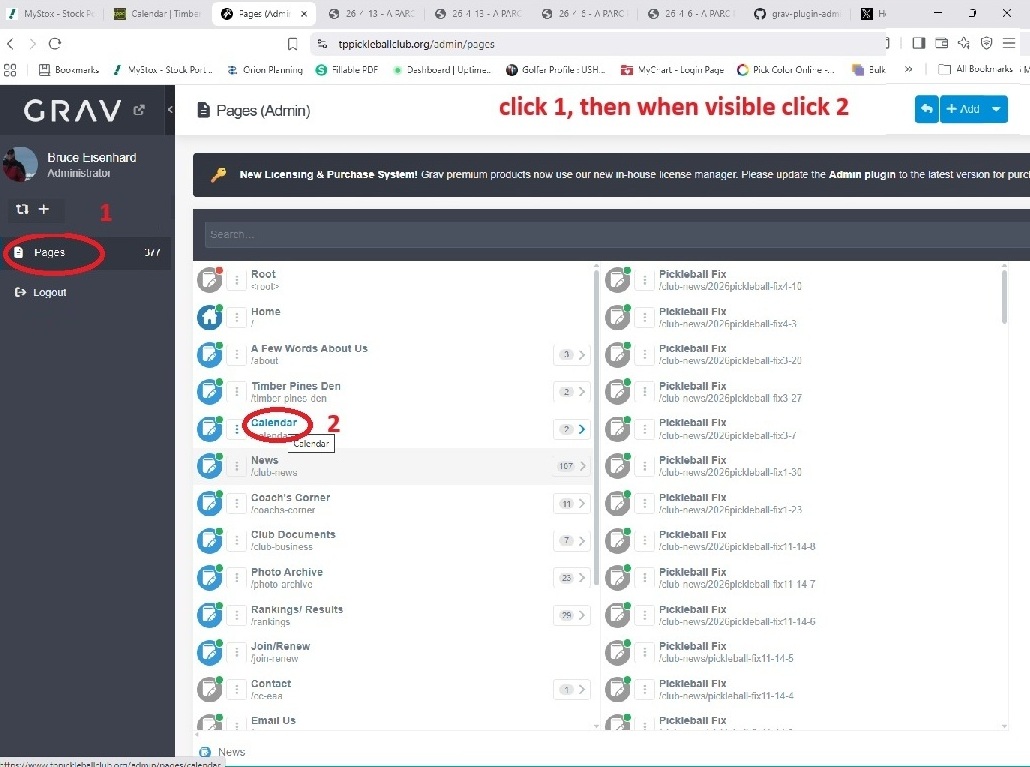
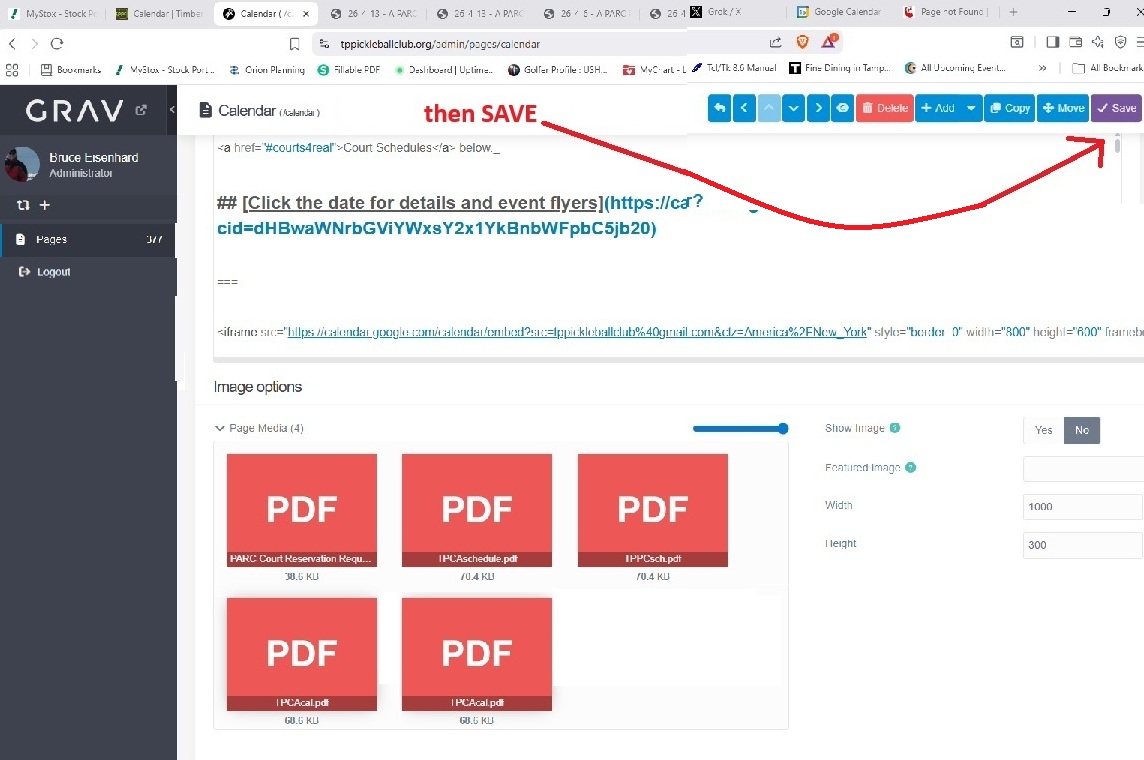
Next open up the pages to the site and select the Calendar page
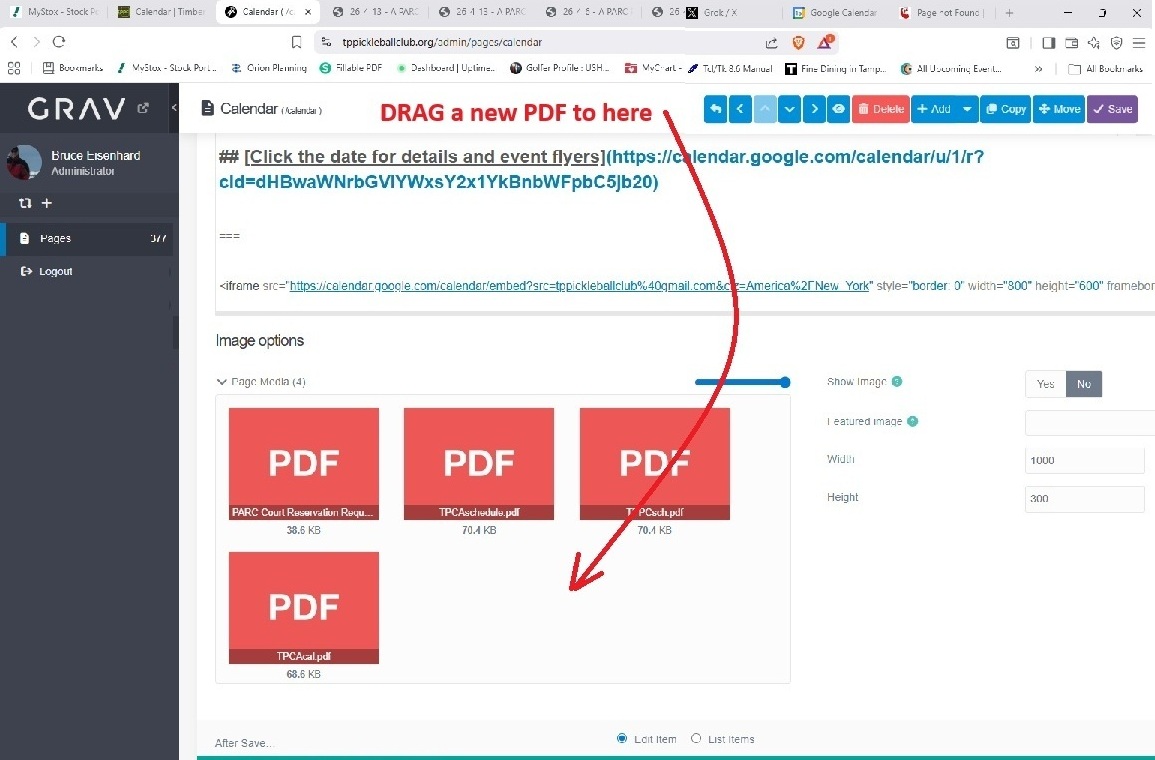
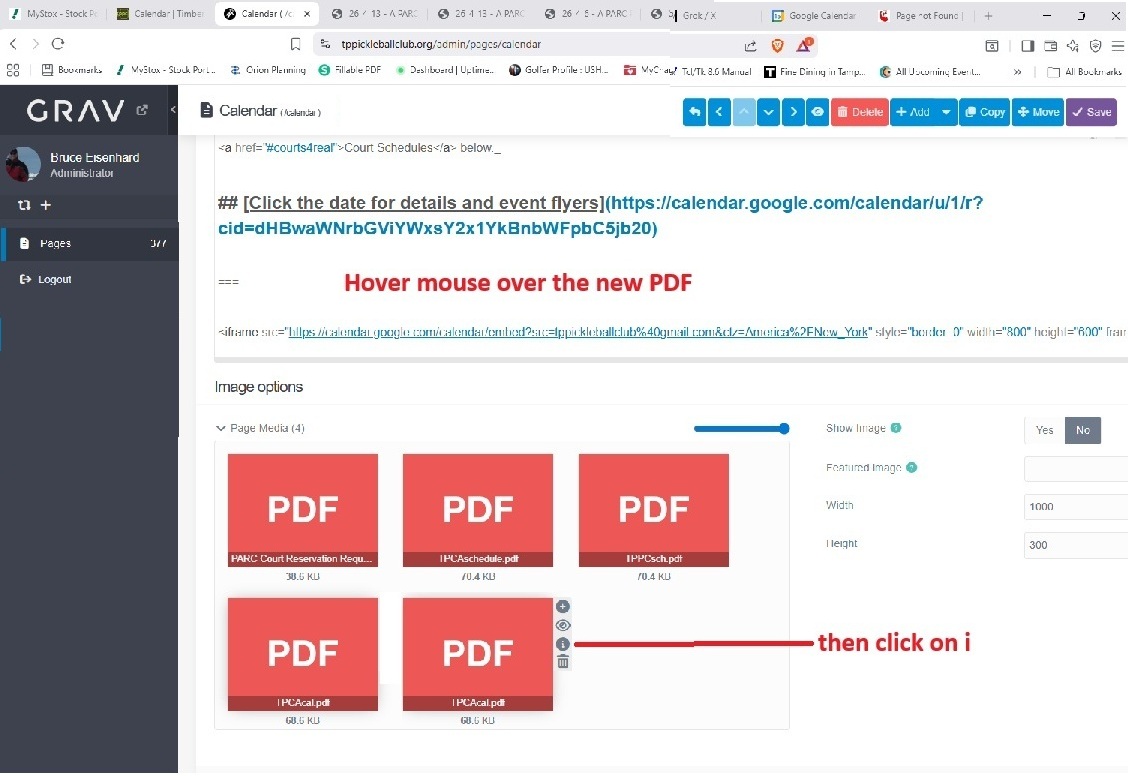
Then copy the latest calendar PDF file to that page -- NOTE there can be NO spaces in the filename
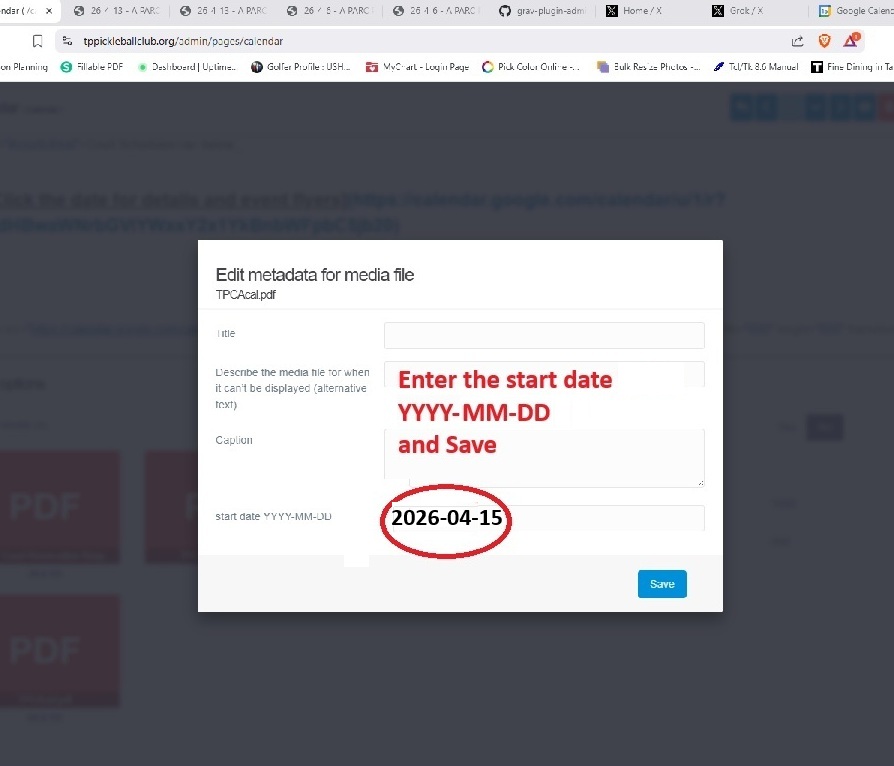
And then set the start date
Then save the updated Calendar page
That's it.
You can log out, a good idea to check the calendar page as if there is a typo in the start date, the page may crash
Maybe check the calendar switch Monday (or whatever you set the start date to